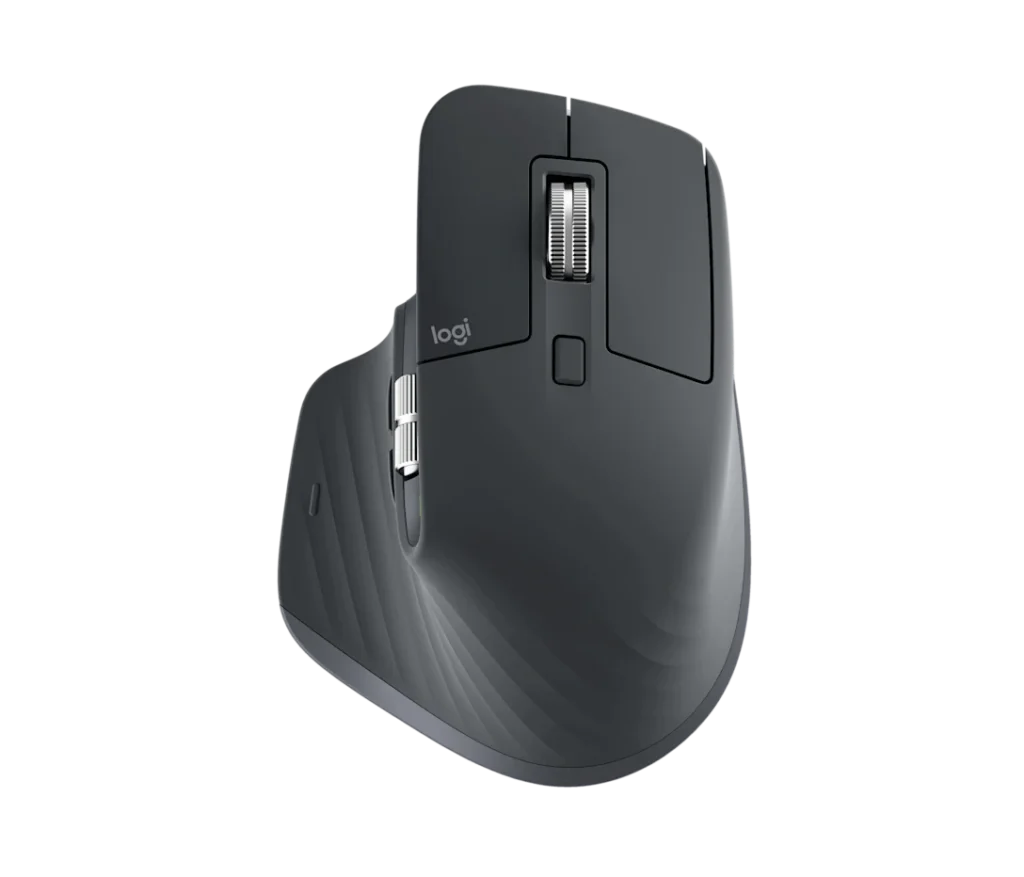
Ah, the Logitech MX Master 3S—a mouse so sophisticated, it probably fills out its own tax returns. Let’s embark on a whimsical journey through its features, quirks, and the existential questions it might pose to your current desk setup.
Imagine a mouse that nestles into your hand like it was always meant to be there. The MX Master 3S boasts an ergonomic design that feels like a firm handshake from an old friend—assuming that friend is right-handed. Lefties, unfortunately, might feel like they’ve been left out of the secret club once again.

This mouse features not one, but two scroll wheels. The primary wheel, crafted from milled metal, offers both ratchet and free-spinning modes, allowing you to zip through 1,000 lines per second or navigate line-by-line with precision. It’s like having a sports car that can also parallel park effortlessly. The secondary thumb wheel facilitates horizontal scrolling, perfect for wide spreadsheets or panoramic cat photos.

Gone are the days of obnoxious clicking noises that announce your every move. The MX Master 3S introduces “Quiet Clicks,” reducing noise by 90% compared to its predecessor. Now, your late-night internet deep dives won’t disturb your sleeping partner—or your conscience.
Equipped with an 8,000 DPI sensor, this mouse tracks on virtually any surface, including glass. While this level of sensitivity might be overkill for everyday tasks, it’s reassuring to know that if you ever find yourself editing a spreadsheet on a glass table in a high-speed train, the MX Master 3S has got you covered.
With the Logi Options+ software, you can customize buttons and gestures to suit your workflow. Assign functions like copy, paste, or “order pizza” to specific buttons. While the software offers extensive customization, it might take some time to navigate its quirks—consider it a rite of passage into the MX Master 3S elite user group.
Battery Life: The Marathon Runner
Logitech claims up to 70 days of battery life on a full charge. In real-world terms, that’s approximately 69.5 more days than your wireless earbuds. And if you do find yourself running low, a quick one-minute charge provides up to three hours of use—just enough time to finish that last-minute project or squeeze in one more level.
The Verdict: To Buy or Not to Buy
At £119.99, the MX Master 3S is an investment in your productivity and comfort. It’s like hiring a personal assistant for your hand—minus the awkward small talk. If you’re a right-handed user seeking a feature-rich, comfortable, and nearly silent mouse, the MX Master 3S might just be your soulmate. Left-handed users, however, may need to keep searching for their perfect match.
In conclusion, the Logitech MX Master 3S doesn’t just point and click; it waltzes through your workflow with grace and efficiency. Just be prepared for your keyboard to get a little jealous.
Leave a Reply